Download the software

Try the free demo or ask for the full version. Below you can see every screen and all 18 features.

One simple screen for your whole lab: new patient and billing, reports, WhatsApp, commission and backup.

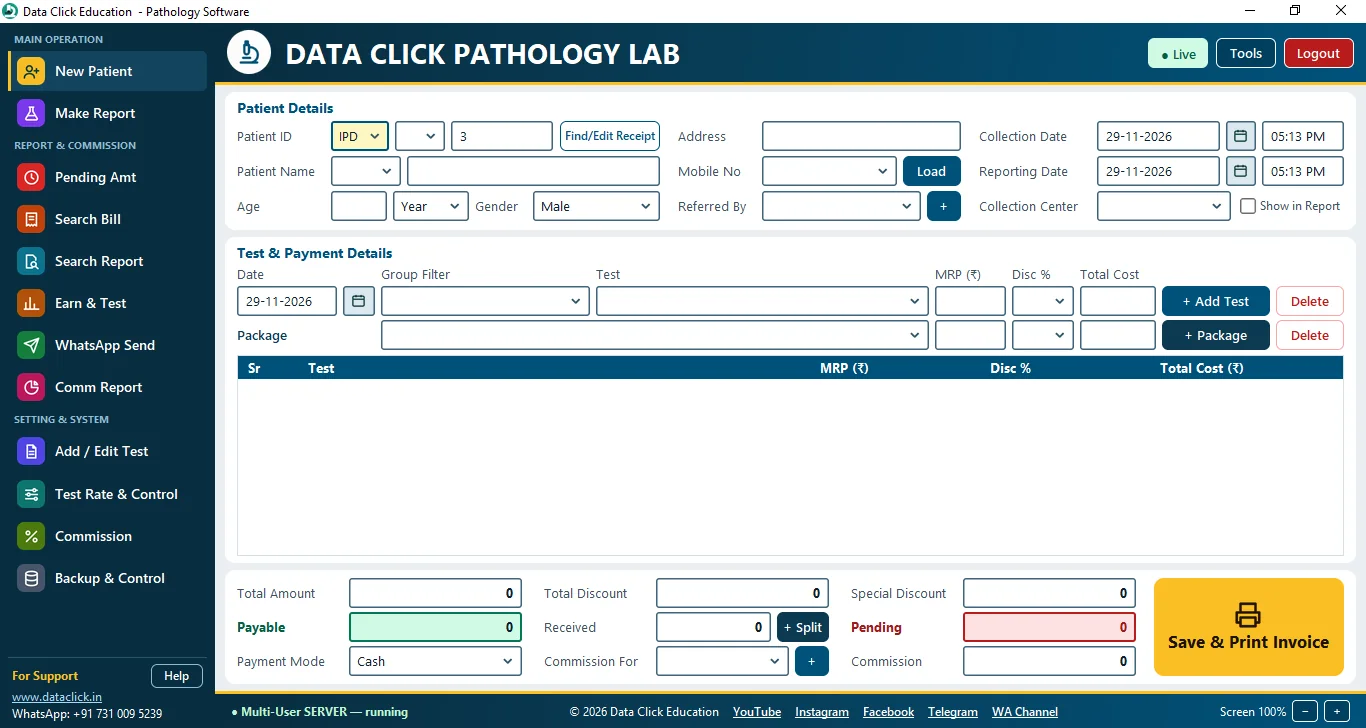
Billing in a few clicks

Patient entry, test billing, discounts, pending payments and printed receipts.

Every blood test, clearly reported: age and gender wise ranges, abnormal values marked, your signature and letterhead.

Clear, professional reports

Reference ranges, abnormal values marked, digital signature and your letterhead.

114 lab tests ready to use in the software. Haematology 17, Biochemistry 31, Hormones 23, Serology 22.

Know your lab's earnings

Daily and monthly earnings, referred by break-up and Excel export.

Free demo

Try the software on your Windows computer before you decide.

Get free demo on WhatsApp For Windows computers.

Full version

Want to use it in your pathology lab? Send your details and we will contact you.

Get full version A short form with four boxes.

Request the full version

We use these details only to contact you about the software.

Complete feature list

Choose a group, or tap a screenshot to see it bigger.

Patient Billing & Receipts
Billing and doctors

Patient Billing & Receipts

Fast patient entry, itemised test billing, percentage or special discounts, cash/online payment tracking, and printed receipts with your lab's letterhead.

Referred By & Collection Center
Billing and doctors

Referred By & Collection Center

Track referring doctors and collection centers, with a "Show in Report" option to print the center name right on the report.
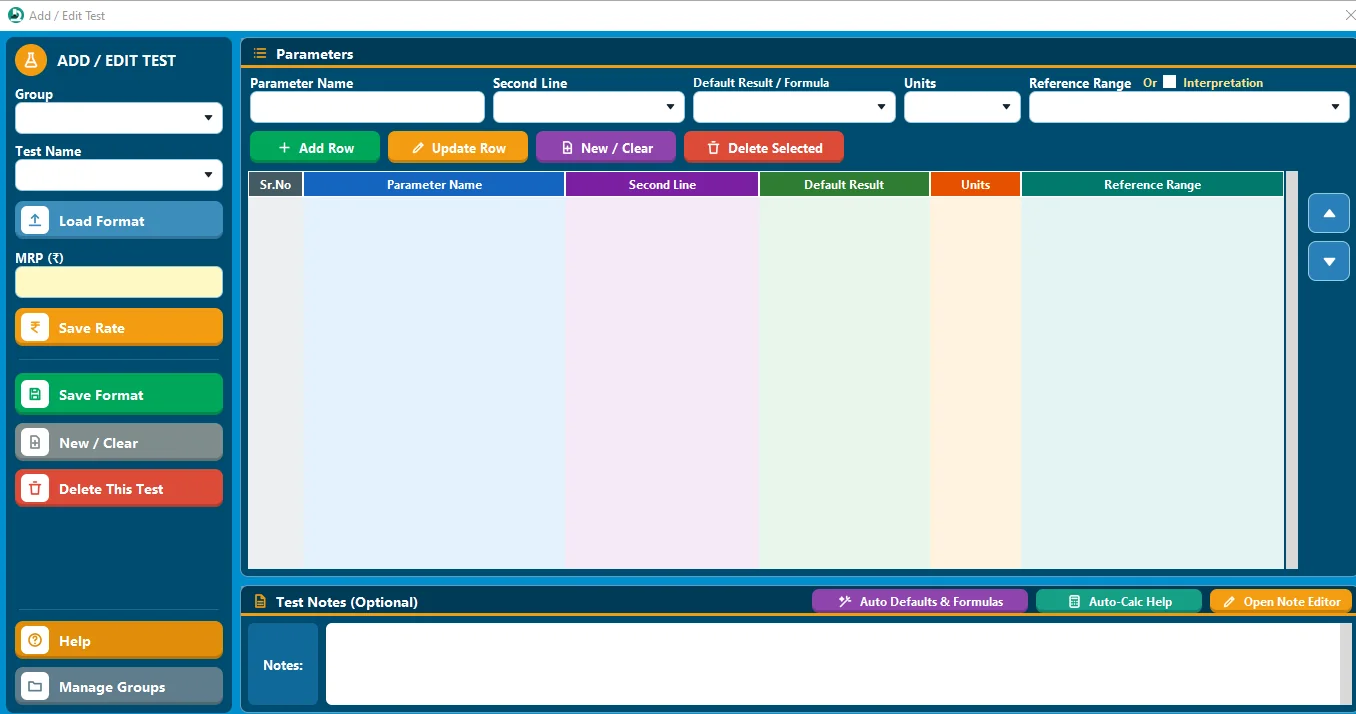
Test Format Master
Test setup

Test Format Master

Build custom test formats — reference ranges, auto-calculated formulas, units, and "Interpretation Only" narrative tests like USG/X-Ray.
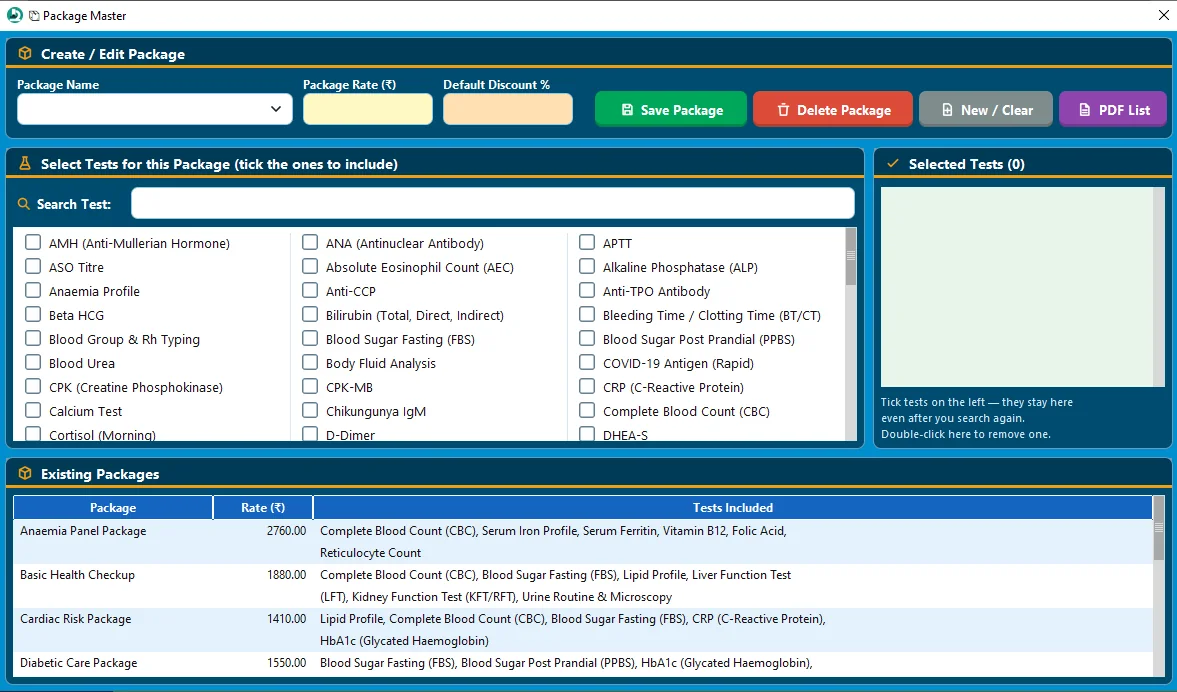
Package Master
Test setup

Package Master

Bundle several tests into one package (like a health checkup panel) with its own combined price, billed as a single item.
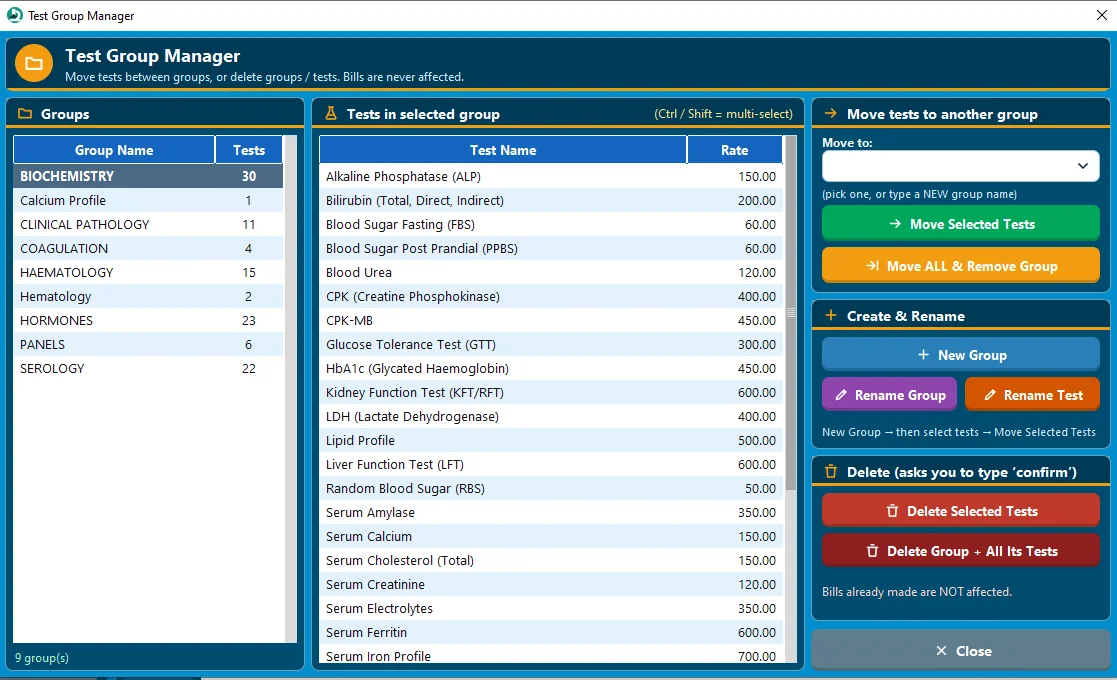
Group Master
Test setup

Group Master

Organise tests into groups (like Haematology, Biochemistry) so reports and formats stay neatly categorised.
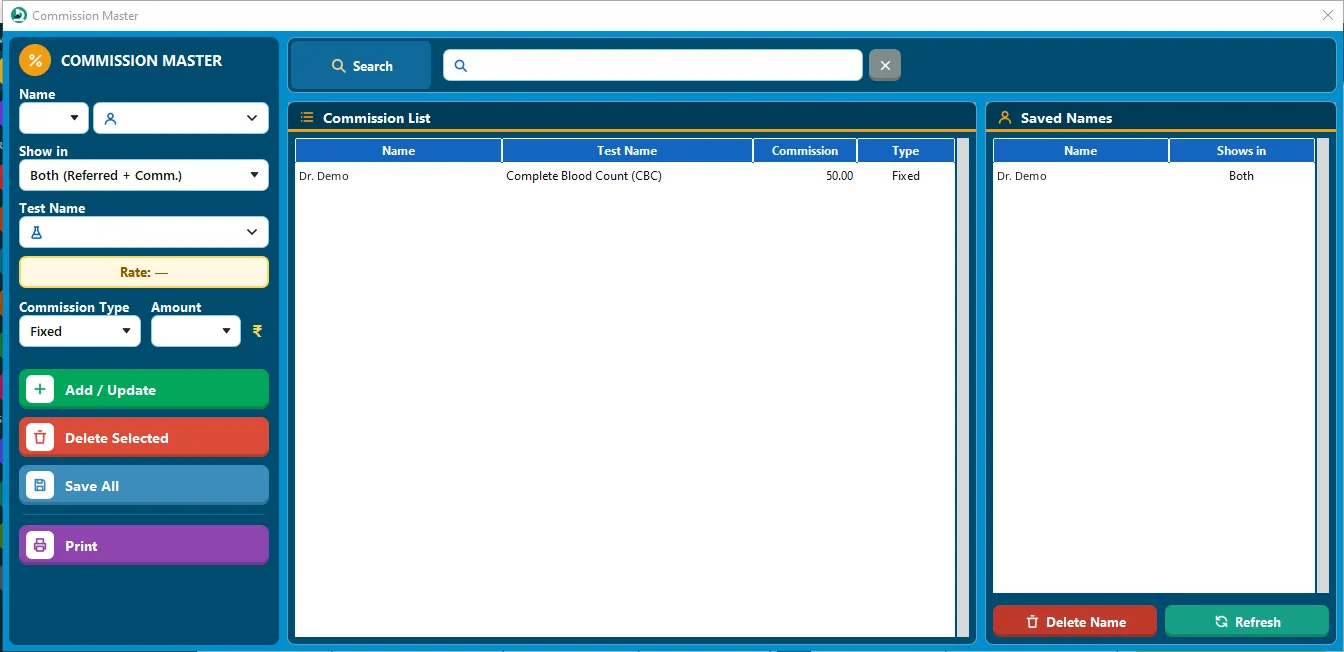
Doctor Commission Master
Billing and doctors

Doctor Commission Master

Set a commission percentage or fixed amount per test or per doctor — tick multiple tests at once to apply the same rate together.
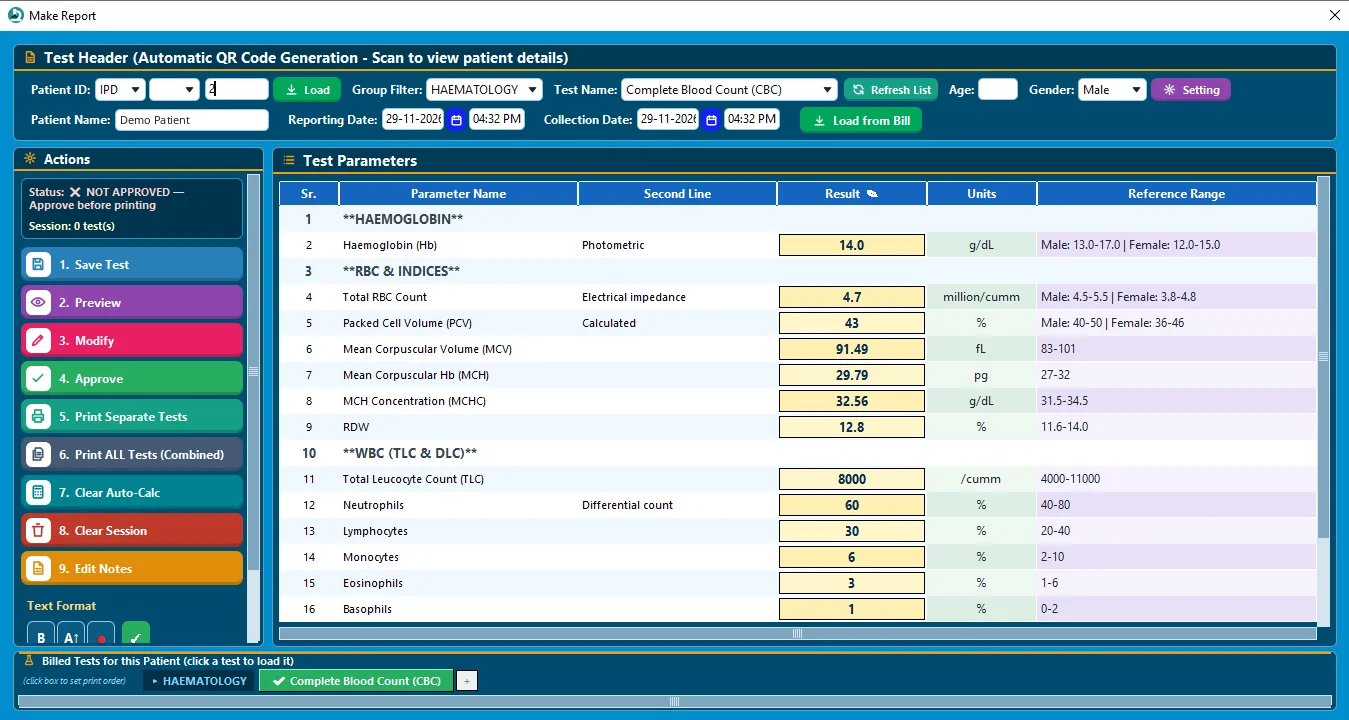
Test Results Entry
Results and reports

Test Results Entry

Age/gender-aware reference ranges, abnormal-result highlighting, and quick entry for every test on the bill.
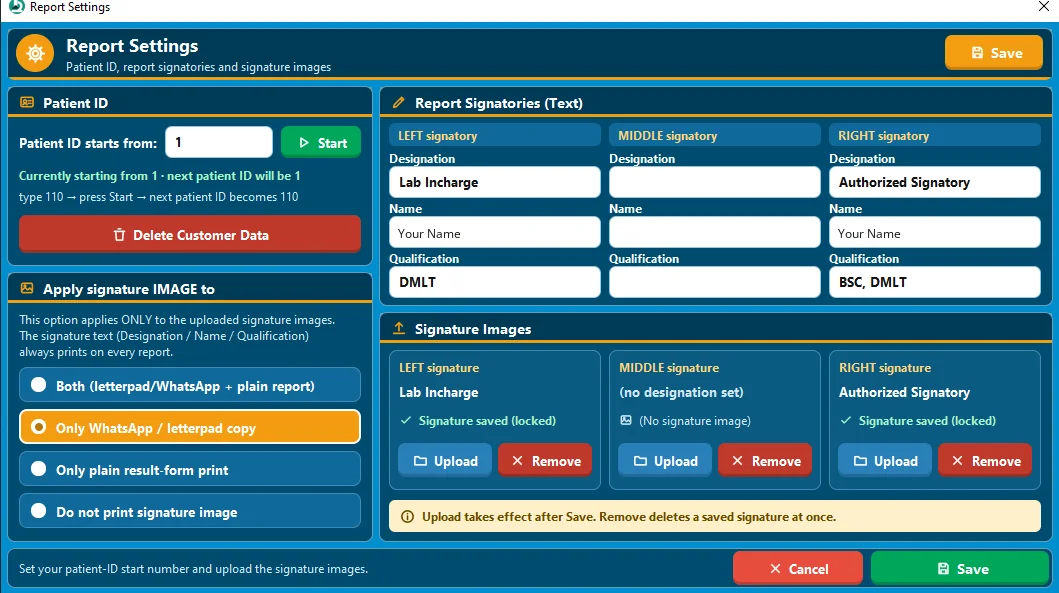
Digital Signature Upload
Results and reports

Digital Signature Upload

Upload signatory signatures once — they're stamped automatically on every report that needs them.
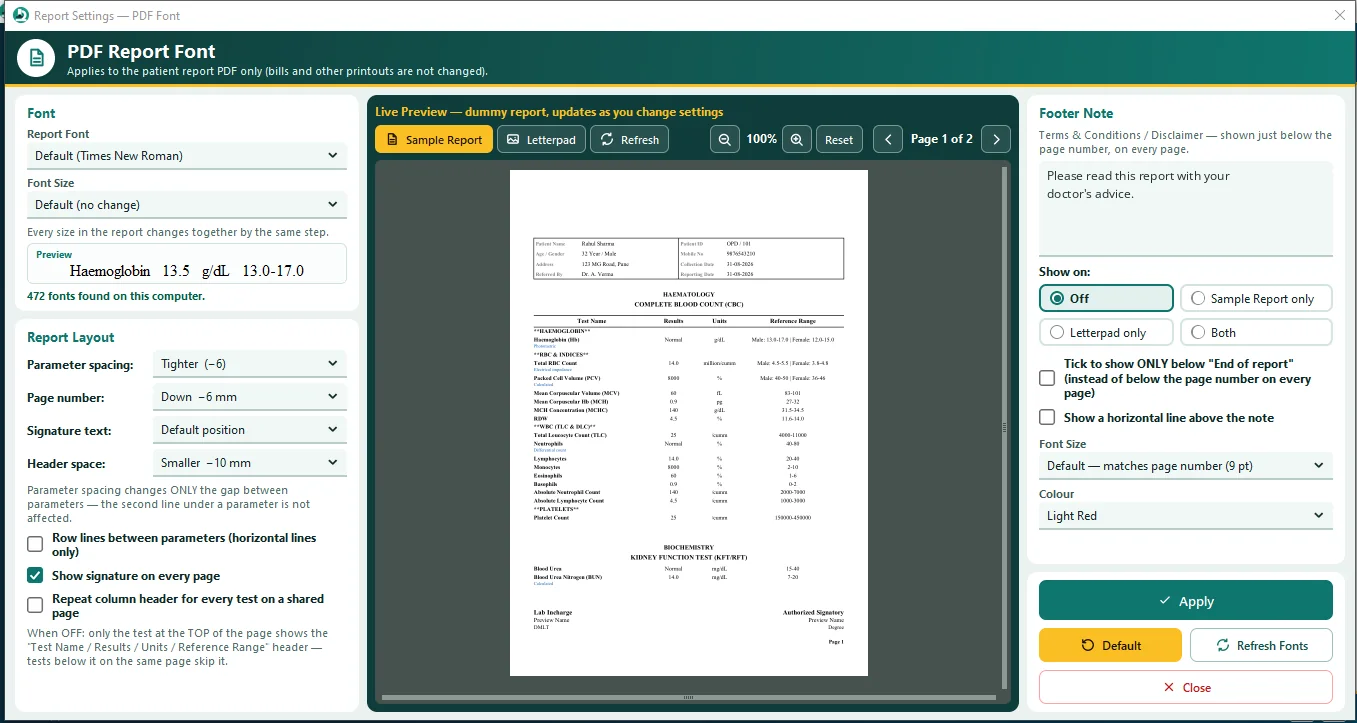
Report Settings — Font, Bold & Style
Results and reports

Report Settings — Font, Bold & Style

Choose the report's font family and toggle bold/black styling, applied consistently across every printed report.

📄
Results and reports

Professional PDF Reports

Combined or separate reports, with or without letterhead, auto page-numbering — ready to print or share in seconds.
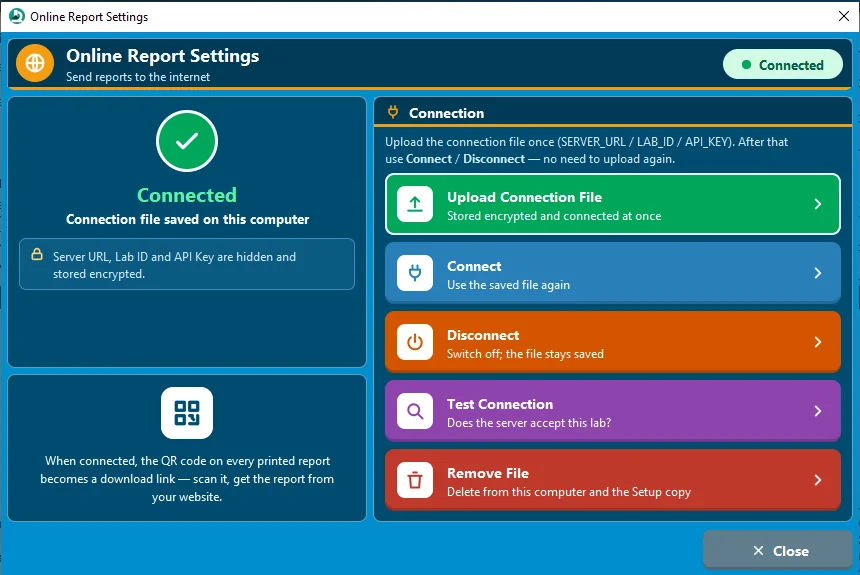
QR Online Report Delivery
Online and sharing

QR Online Report Delivery

Every printed report carries a QR code — with the add-on enabled, scanning it gives the patient a secure online download of the full report.
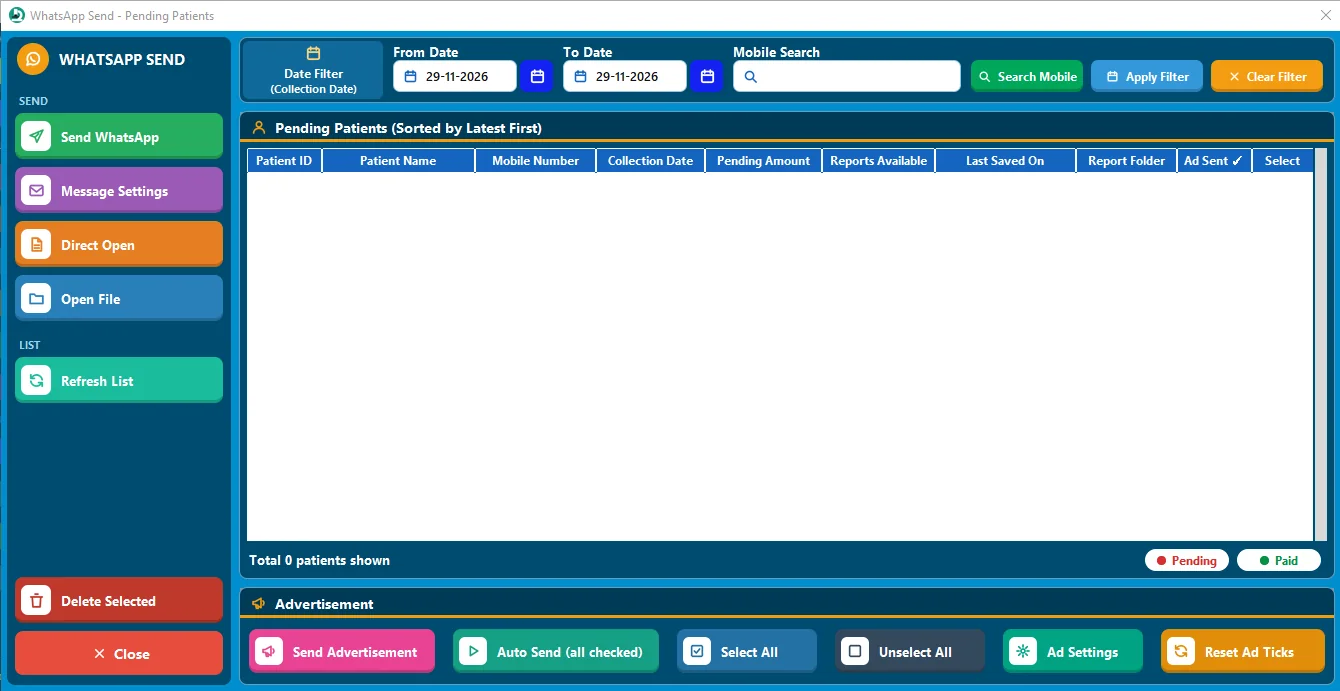
WhatsApp & Print Sharing
Online and sharing

WhatsApp & Print Sharing

Share a finished report on WhatsApp or print it directly — whichever the patient needs, right from the software.
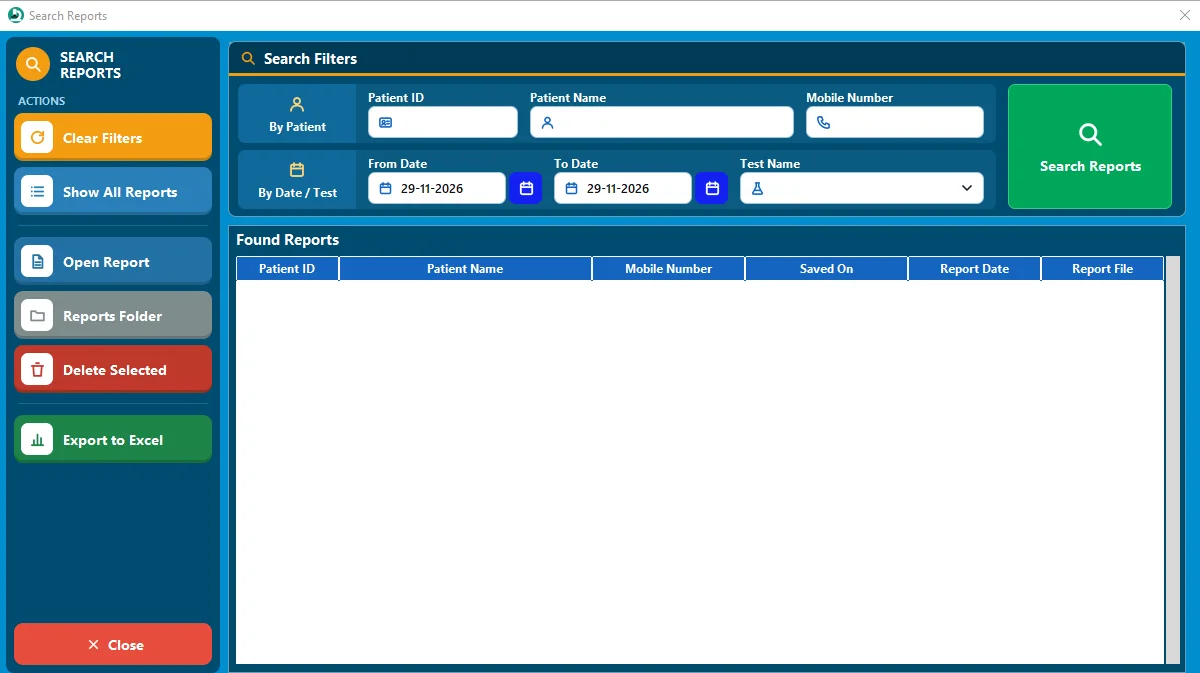
Search Reports & Bills
Records and support

Search Reports & Bills

Search by patient, test, or date range across every saved report and bill — export results straight to Excel.
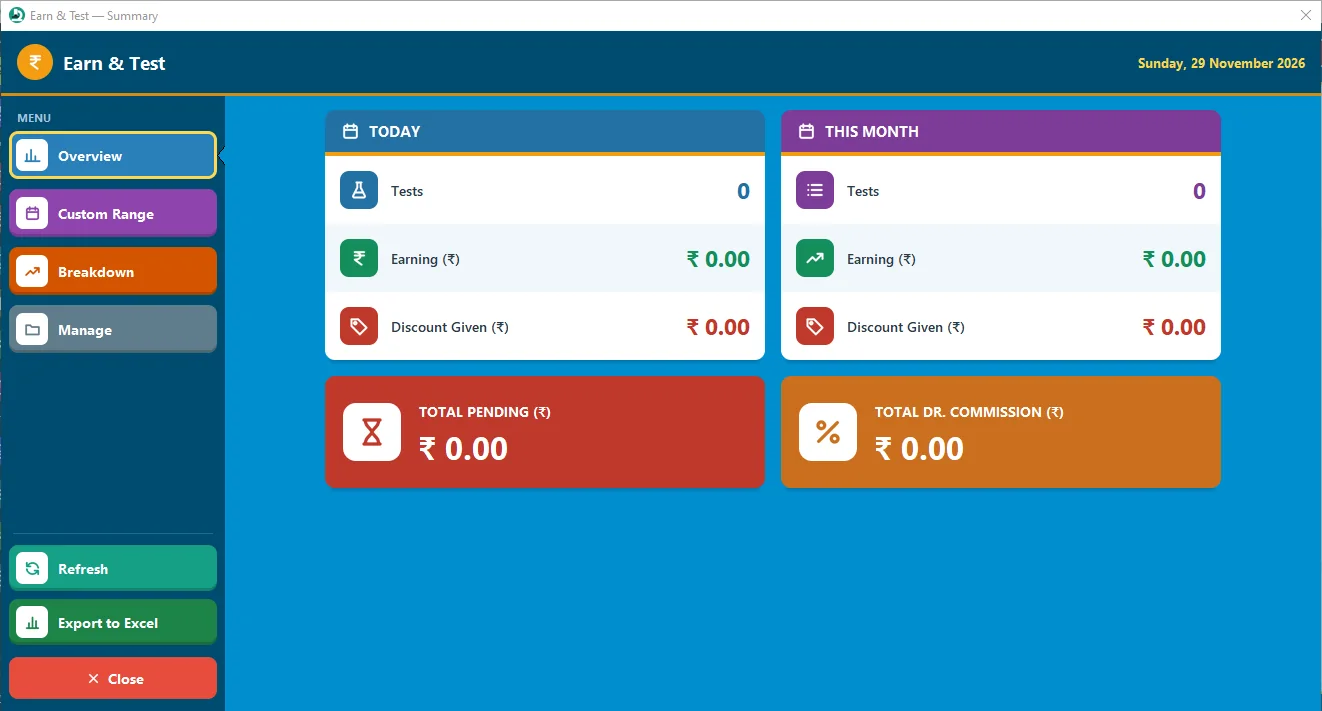
Earnings & Analytics
Records and support

Earnings & Analytics

Daily, monthly, and custom-range earning reports, payment-mode and referred-by breakdowns, discount tracking, all exportable to Excel.
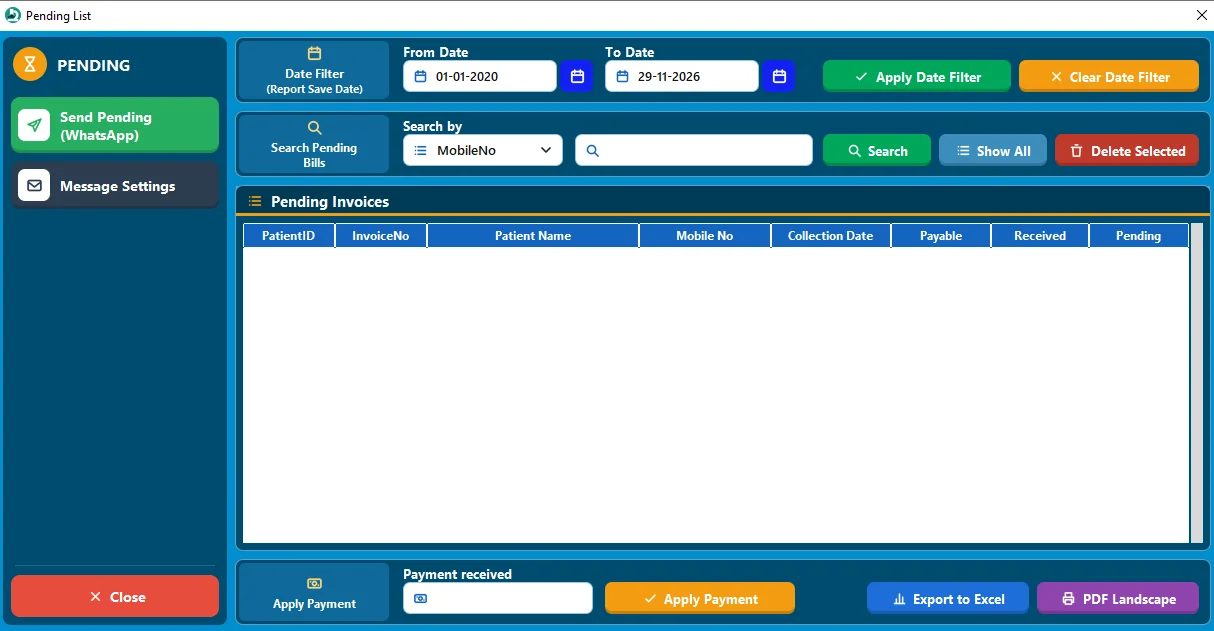
Pending Amount Report
Billing and doctors

Pending Amount Report

See every patient with a pending balance at a glance, and follow up on outstanding payments easily.

Date & Time Tracking
Results and reports

Date & Time Tracking

Collection and Reporting date-and-time, with one-tap "approve and stamp now" for accurate record-keeping.
Branding & Admin Settings
Records and support

Branding & Admin Settings

Set your lab's name, address, contact details, and letterhead once — used across every bill and report automatically.

🎫
Records and support

Support Ticket System

Raise a support ticket right from your Lab Support Portal — issues are resolved within 12–24 hours.

See every screen of the software

Real screens with what each one does.

New patient and billing

New patient and billing

The main screen. Enter the patient, add tests or a package and save the receipt.

  • Menu on the left for the daily jobs of the lab
  • Discount, received and pending amount on the same bill
  • Save and print the invoice with one button
Enter test results

Enter test results

Type each result next to its parameter and reference range.

  • Load the tests straight from the patient's bill
  • Male and female reference ranges shown
  • Preview, approve, then print separately or together
Report font and layout

Report font and layout

Decide how the printed report looks and see it in the live preview.

  • Choose the font, size and line spacing
  • Preview with a sample report
  • Add your own footer note and pick its colour
Signatures and patient ID

Signatures and patient ID

Set who signs the report and upload signature pictures.

  • Left, middle and right signatory with qualification
  • Choose which printouts get the signature picture
  • Set the number patient IDs start from
Online report delivery

Online report delivery

Connect once, and patients can download reports from this website.

  • The connection file is stored encrypted
  • Connect, disconnect or test the connection
  • The QR code on the report becomes a download link
Send on WhatsApp

Send on WhatsApp

Patients and their reports in one list, ready to send.

  • Filter by date or search by mobile number
  • See pending amount and saved reports
  • Send your own advertisement to ticked patients
Search reports

Search reports

Find an old report in a few seconds.

  • By patient ID, name or mobile number
  • By date range or test name
  • Open the report or export the list to Excel
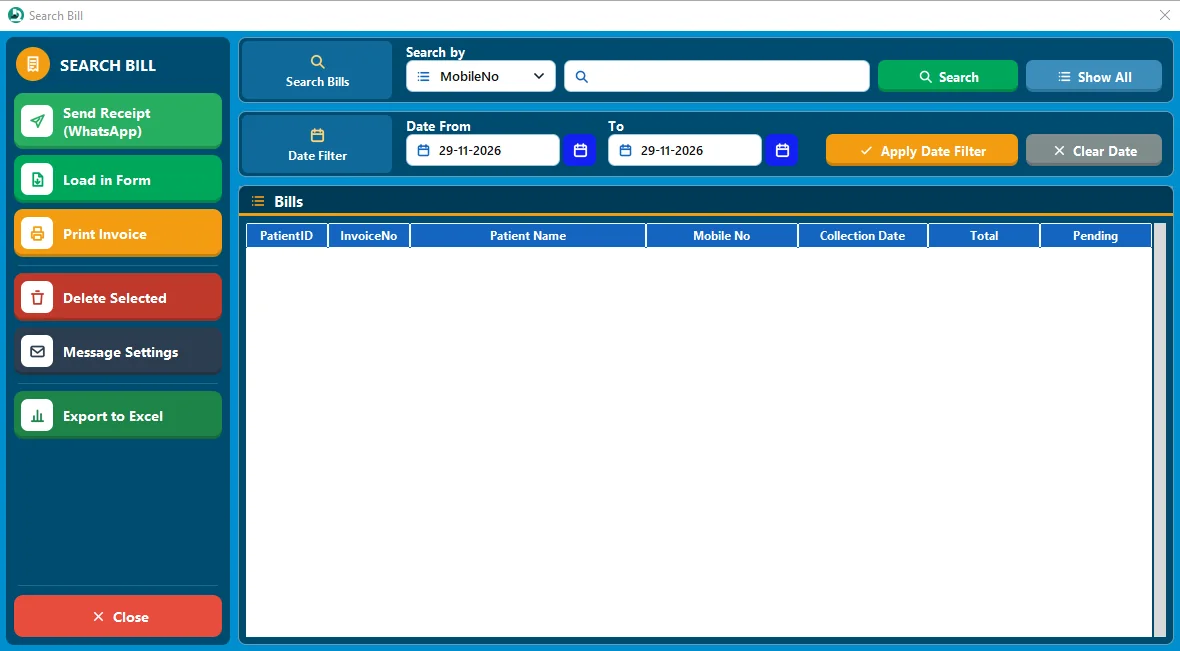
Search bills

Search bills

Find, print or send any receipt again.

  • Search by mobile number and more, with a date filter
  • Load an old bill back into the form
  • Print, send on WhatsApp or export to Excel
Pending amount

Pending amount

Everyone who still has to pay, in one list.

  • Filter by date or search a bill
  • Enter the money received and apply it
  • Remind on WhatsApp, export to Excel or PDF
Earnings today and this month

Earnings today and this month

Tests, earning and discount at a glance.
  • Total pending amount
  • Total doctor commission
  • Export to Excel
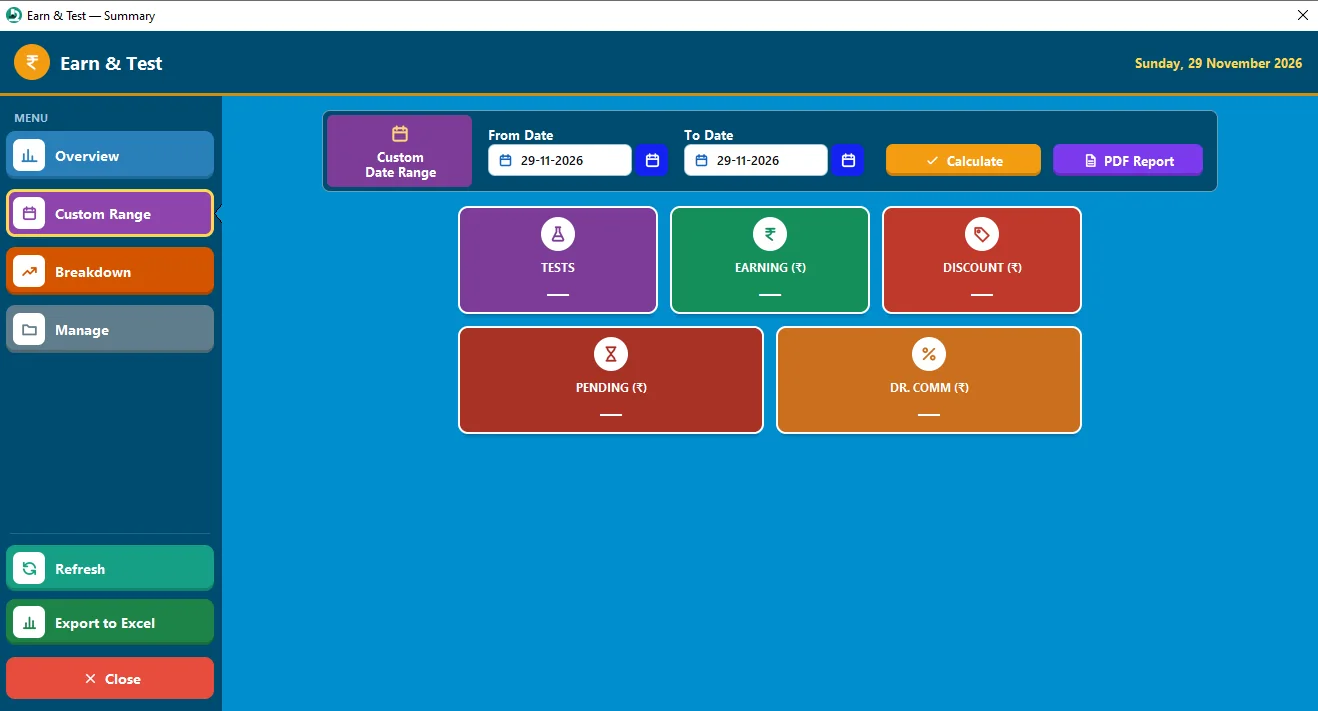
Earnings between two dates

Earnings between two dates

Choose the dates and press Calculate.
  • Tests, earning and discount
  • Pending amount and doctor commission
  • Save the result as a PDF report
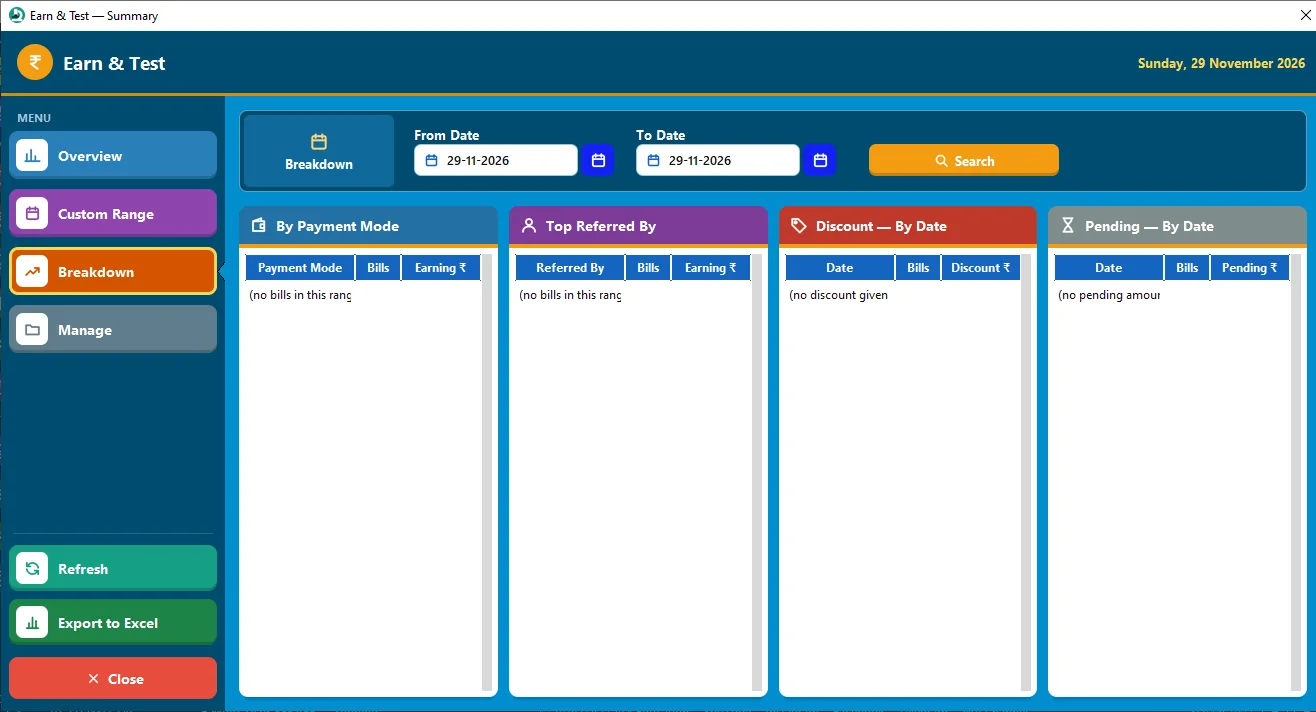
Earnings break-up

Earnings break-up

See where the money came from.

  • By payment mode
  • Top referred by
  • Discount and pending amount date by date
Doctor commission rates

Doctor commission rates

Set the commission for each doctor and test.
  • Fixed amount or percentage
  • Show a name in Referred By, in commission, or both
  • Print the commission list
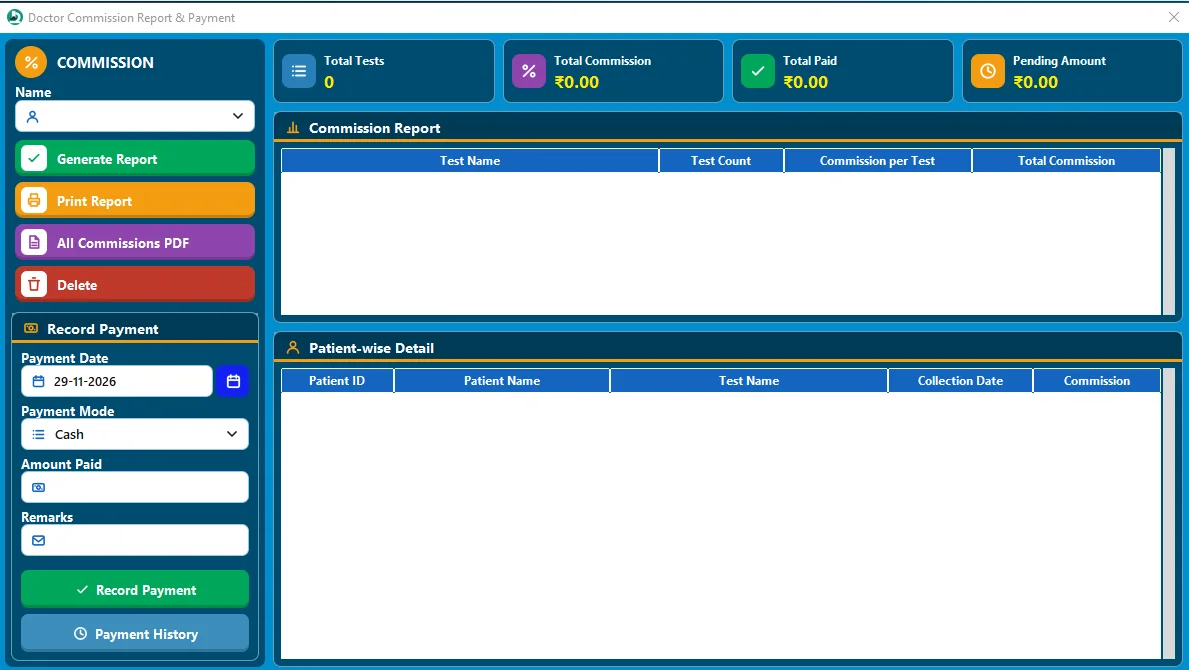
Commission report and payment

Commission report and payment

See what is due to a doctor and record the payment.

  • Total tests, commission, paid and pending
  • Patient wise detail
  • Payment history and PDF of all commissions
Add or edit a test

Add or edit a test

Make your own report format for any test.
  • Parameter name, units and reference range
  • Default results and automatic formulas
  • Interpretation only tests and test notes
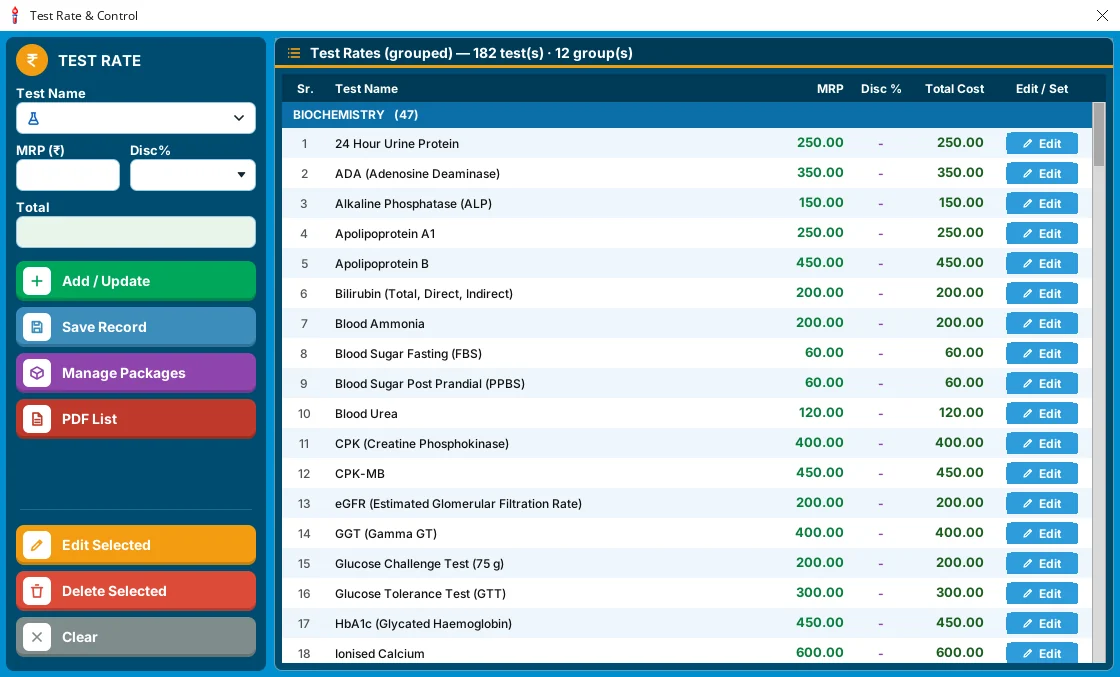
Test rates

Test rates

All tests and their prices, listed group by group.

  • Set the price and discount
  • Change any test with the Edit button
  • Make a PDF rate list
Test packages

Test packages

Put several tests together under one price.

  • Tick the tests you want to include
  • Package rate and default discount
  • Ready packages are already listed
Test groups

Test groups

Keep tests arranged by department.

  • Move tests from one group to another
  • Create and rename groups and tests
  • Bills already made are not changed
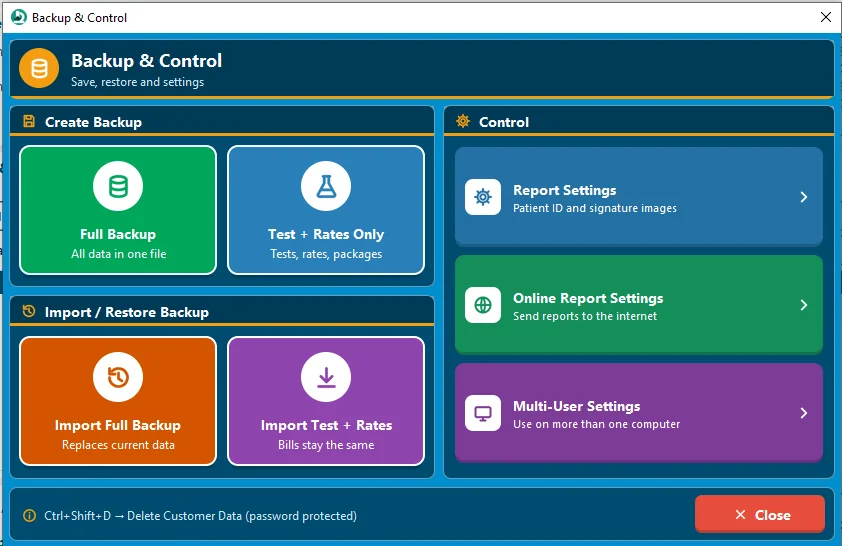
Backup and restore

Backup and restore

Save your lab data and bring it back when needed.
  • Full backup in one file
  • Backup or import only tests and rates
  • Report, online and multi-user settings open from here
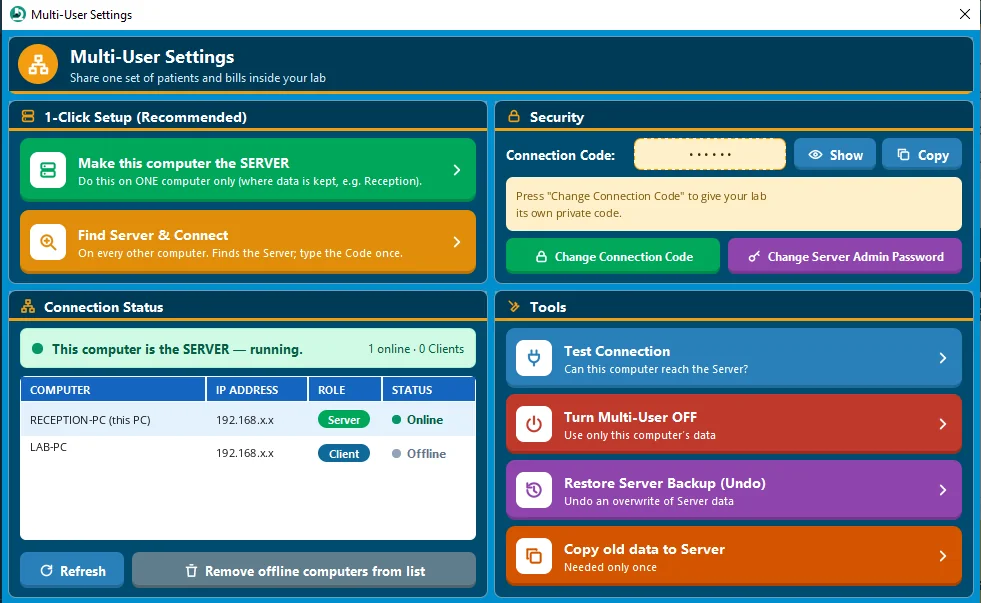
Use on several computers

Use on several computers

Computers in your lab work on the same data.

  • Make one computer the server
  • Others find it and connect with a code
  • See which computer is online

1 / 20 Swipe or drag to move. Left and right keys work too. Tap a picture to see it bigger.

114 tests ready to use

Choose a department to see its tests.

17Haematology 31Biochemistry 23Hormones 22Serology 4Coagulation 11Clinical pathology 6Profiles and panels 11Test packages and full list

Ready to see it on your own reports?

Get in touch and we'll help you get set up.

Ask for a free demo Contact us Get full version